Free tools
Free paycheck budgeting tools
Two free ways to see how your paycheck covers your bills. No email needed for either.
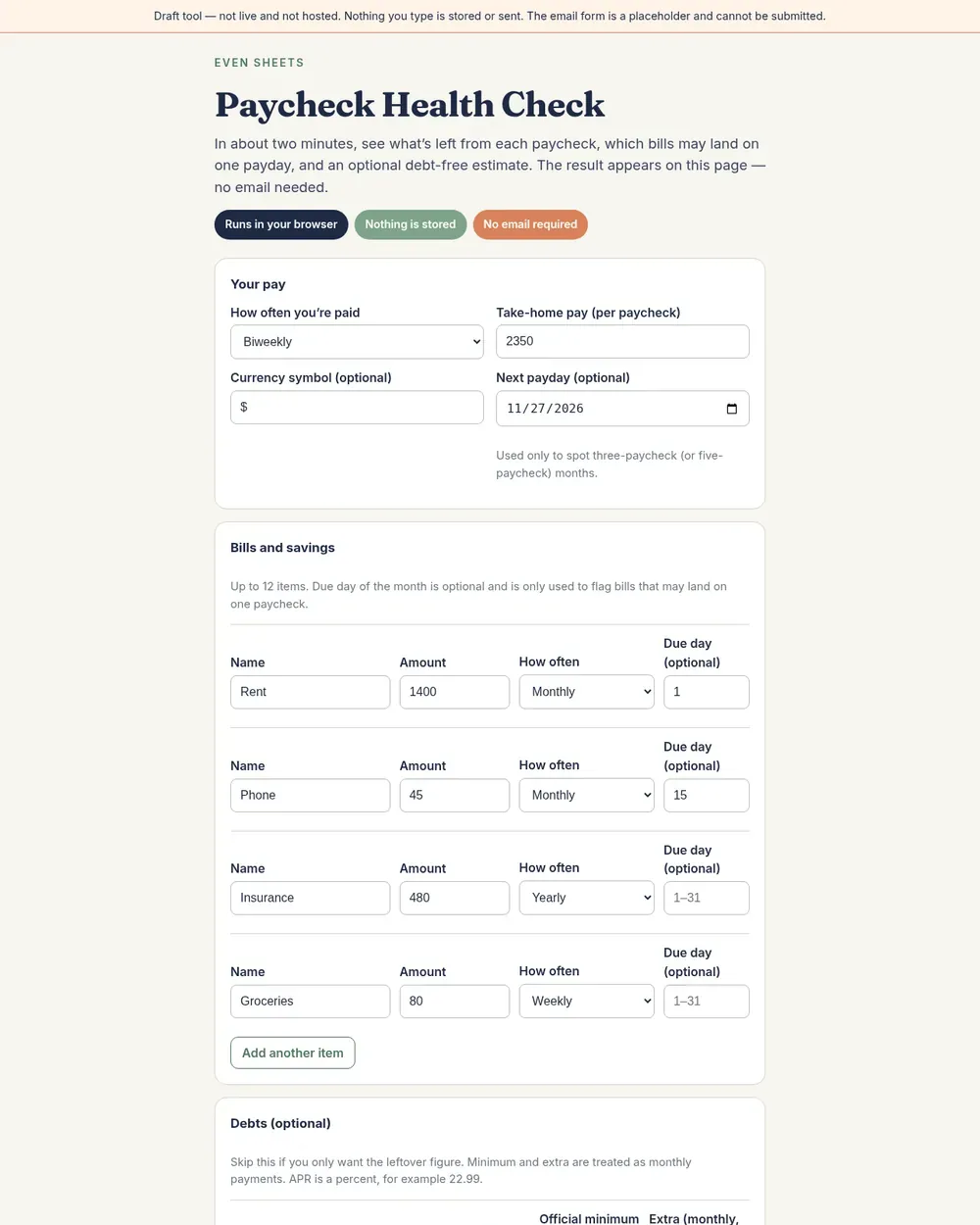
Paycheck Health Check
In about two minutes, see what’s left from each paycheck, which bills may land on one payday, upcoming three-paycheck months, and an optional debt-free estimate.
- Result shows on the page, no email needed
- Runs in your browser: nothing you type is stored or sent
- Weekly, biweekly, semi-monthly or monthly pay
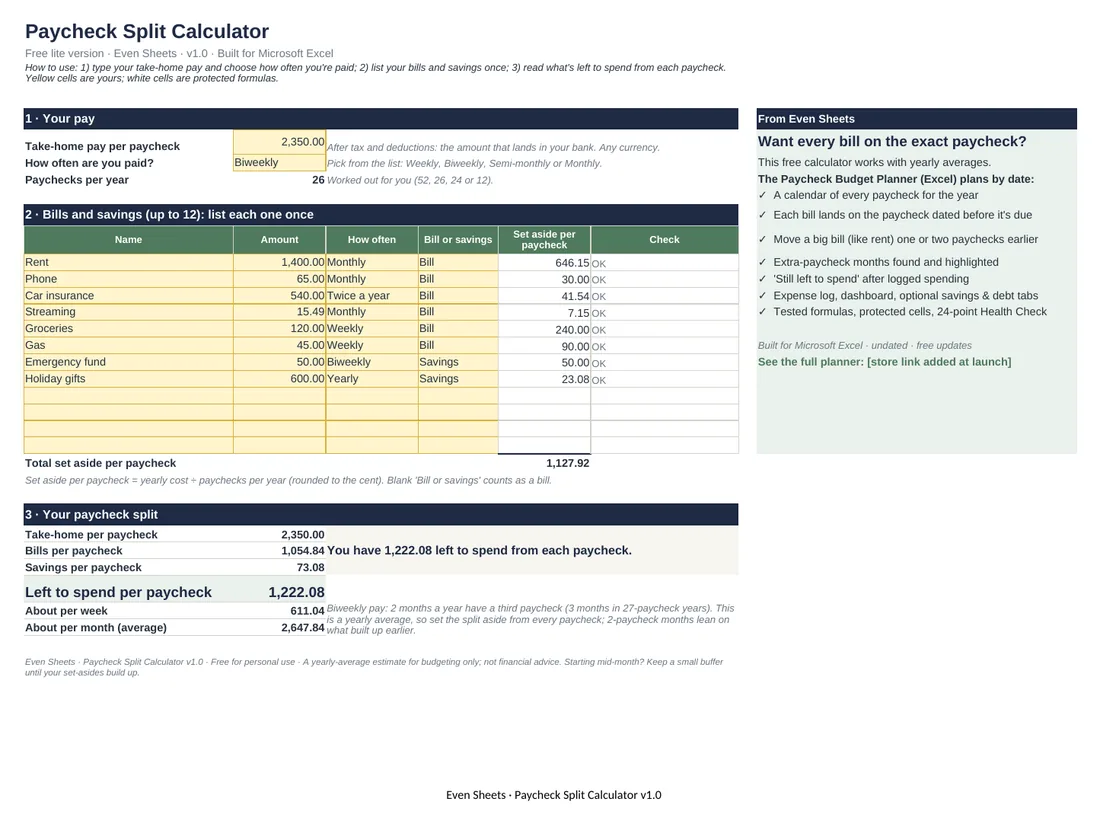
Paycheck Split Calculator
Enter how often you’re paid, your take-home pay, and up to 12 bills or savings goals (weekly to yearly). It shows the amount to set aside from each paycheck for each one, and what’s left to spend per paycheck.
For example, a £1,400 monthly bill is £646.15 from each of 26 biweekly paychecks. Set that aside every payday and the bill stops eating one paycheck whole.
| File | Paycheck_Split_Calculator.xlsx (11 KB), one tab |
|---|---|
| Works in | Microsoft Excel. Uses classic Excel 2010 formulas, no macros; checked with 13 automated test scenarios. Not yet tested in Google Sheets. |
| Good to know | Uses yearly averages, not due dates, so it doesn’t assign bills to particular paydays. Any currency. |
Free for personal use. No email or account needed.
Want every bill on the exact paycheck?
The free tools use yearly averages. The Paycheck Budget Planner plans by date: a calendar of every paycheck, each bill on the paycheck dated before it’s due, extra-paycheck months and what’s still left to spend.